Overview
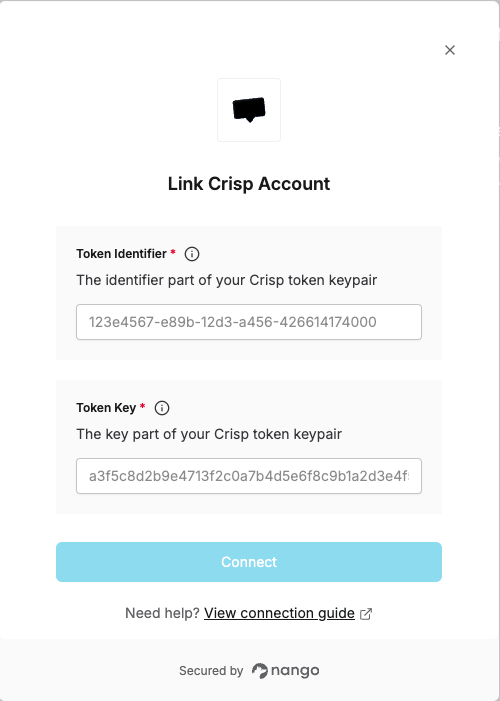
To authenticate with Crisp, you need:- Token Identifier - The identifier part of your Crisp token keypair that authenticates your requests.
- Token Key - The key part of your Crisp token keypair that authenticates your requests.
Prerequisites:
- You must have a Crisp account.
- You need access to the Crisp Marketplace (this account is different from your main Crisp account).
Instructions:
Step 1: Generating Your Token Keypair
- Go to the Crisp Marketplace and sign in or create an account.
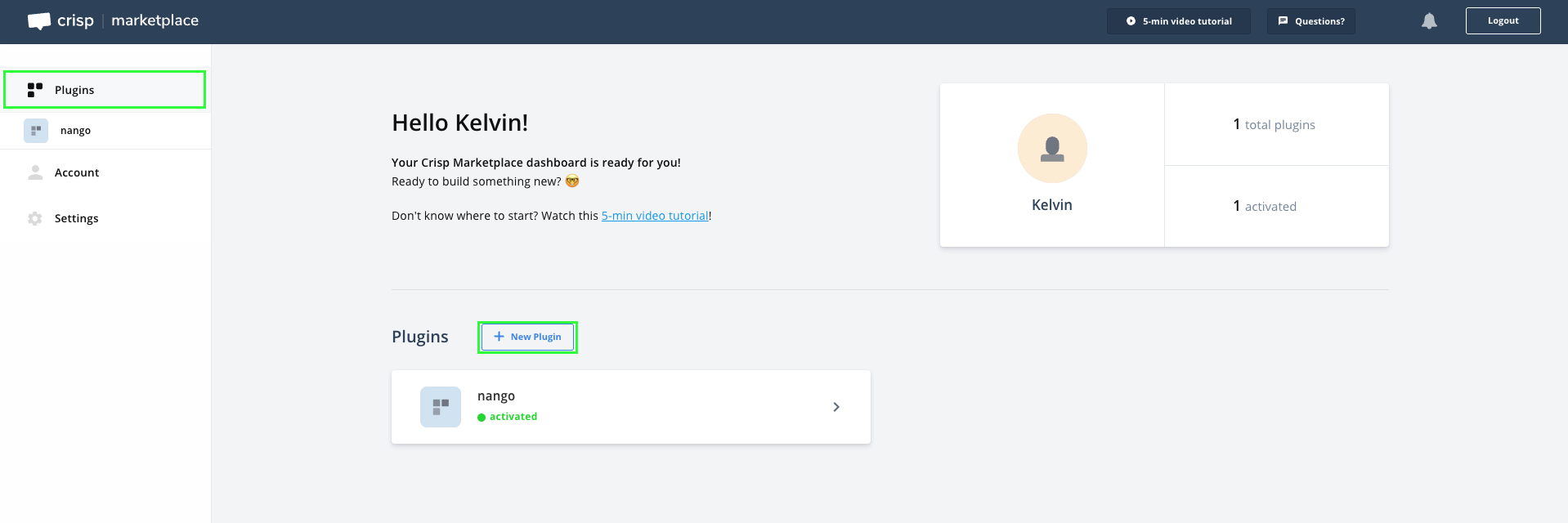
- Once logged in, go to Plugins and click on the New Plugin button.
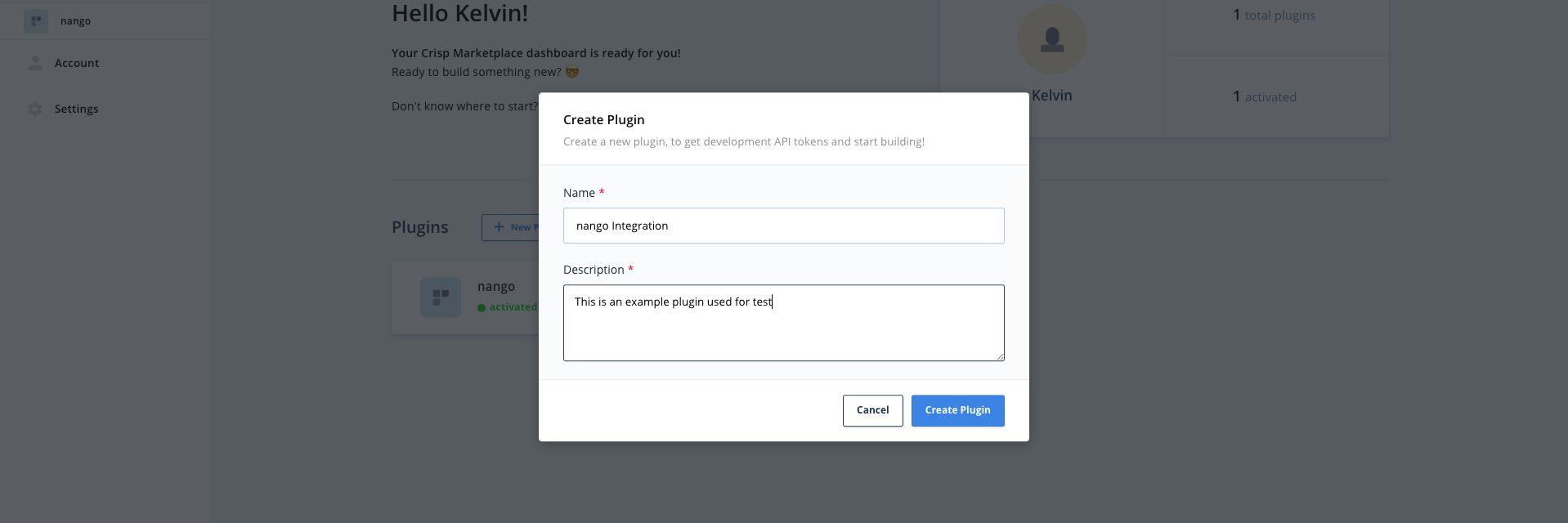
- Give your plugin a name and description, then click Create Plugin.
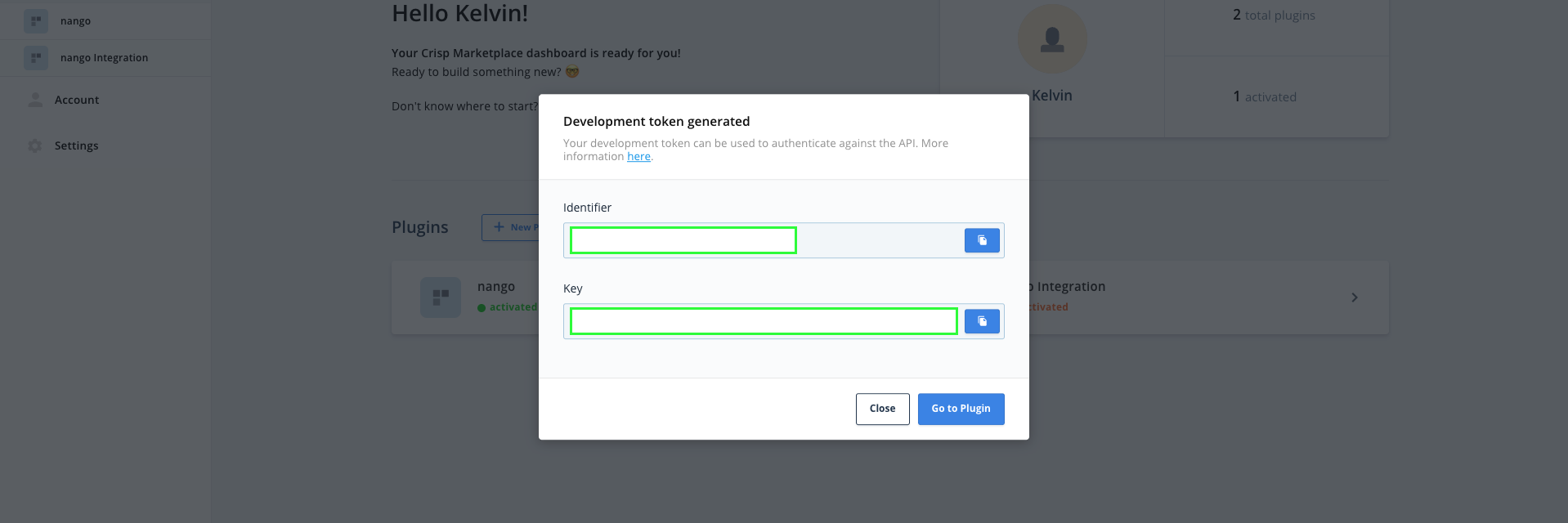
- On the plugin page, go to the Tokens tab and scroll down to Production.
- Click on Ask a production token, pick the scopes you require for your integration, and provide a justification.
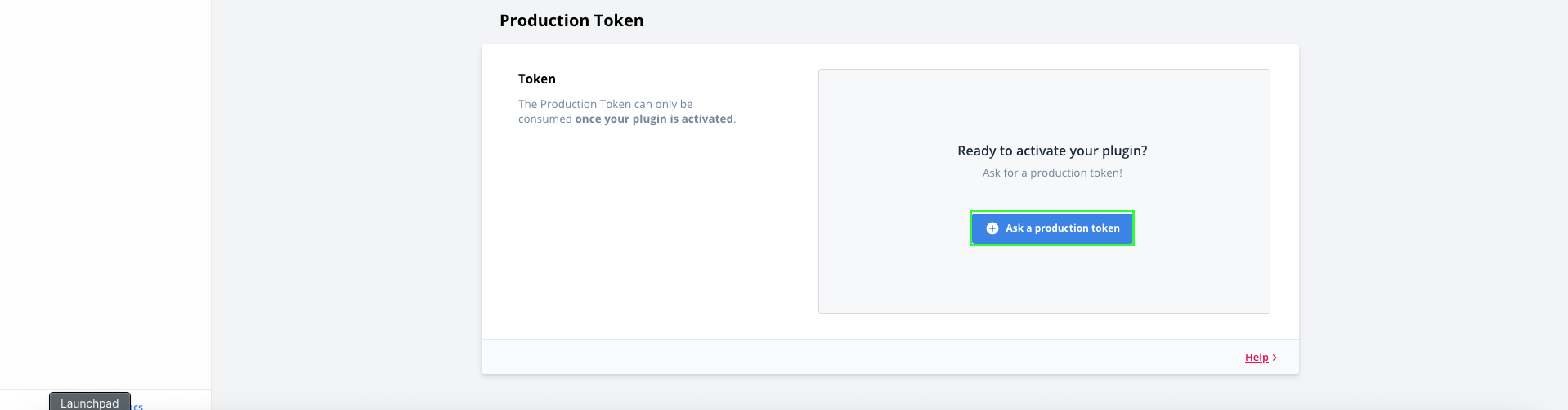
- Click on Request production token.
- Wait for your submission to get approved (this can take a few minutes).
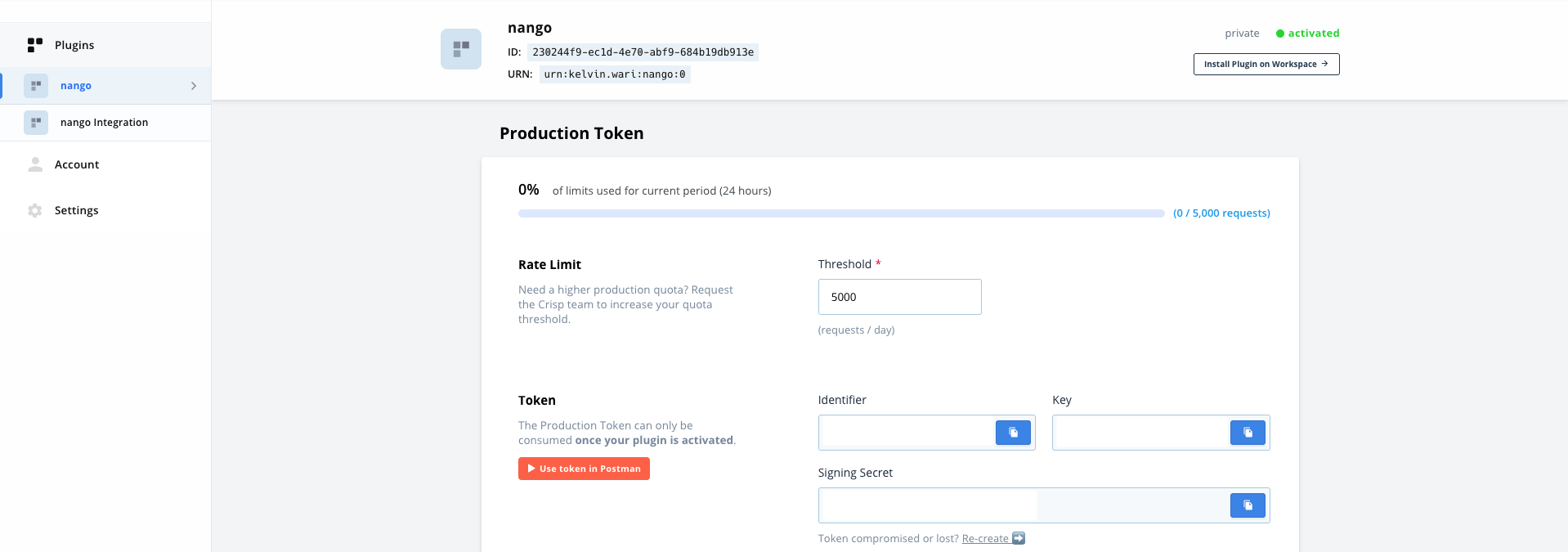
- Once accepted, come back to the Tokens tab and copy your Production Token Identifier and Token Key.
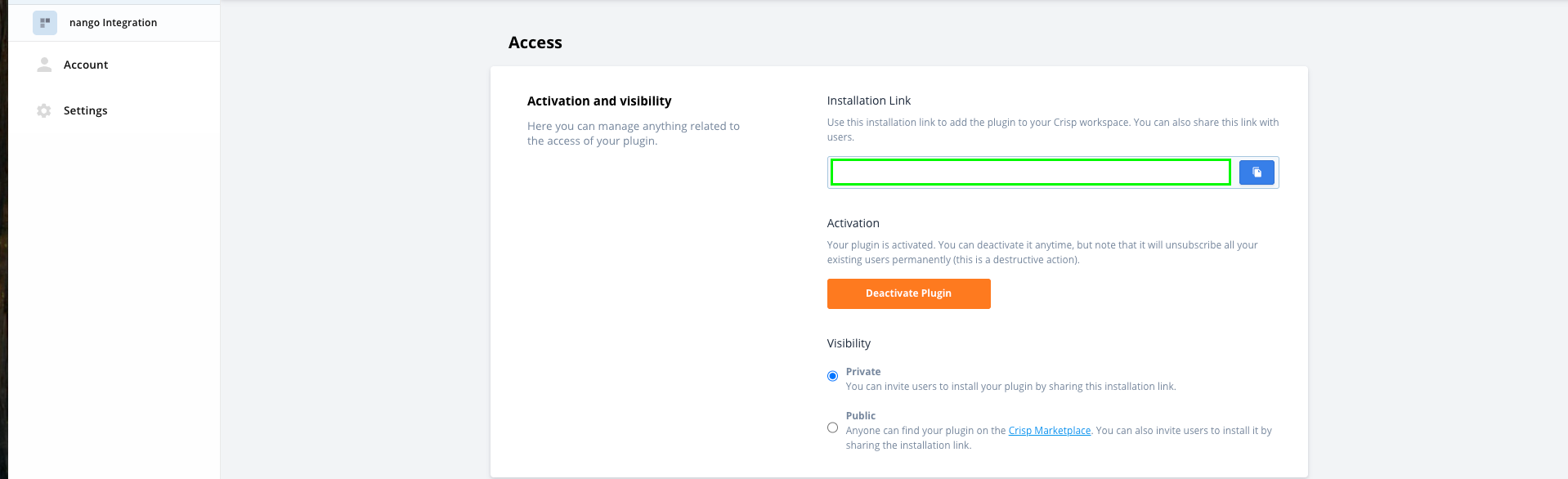
- Finally, install the plugin on all websites you need to use it for (using the private install link, provided in the Settings section under Access).
Step 2: Enter credentials in the Connect UI
Once you have your Token Keypair:- Open the form where you need to authenticate with Crisp.
- Enter your Token Identifier and Token Key in their designated fields.
- Submit the form, and you should be successfully authenticated.